

Start Up
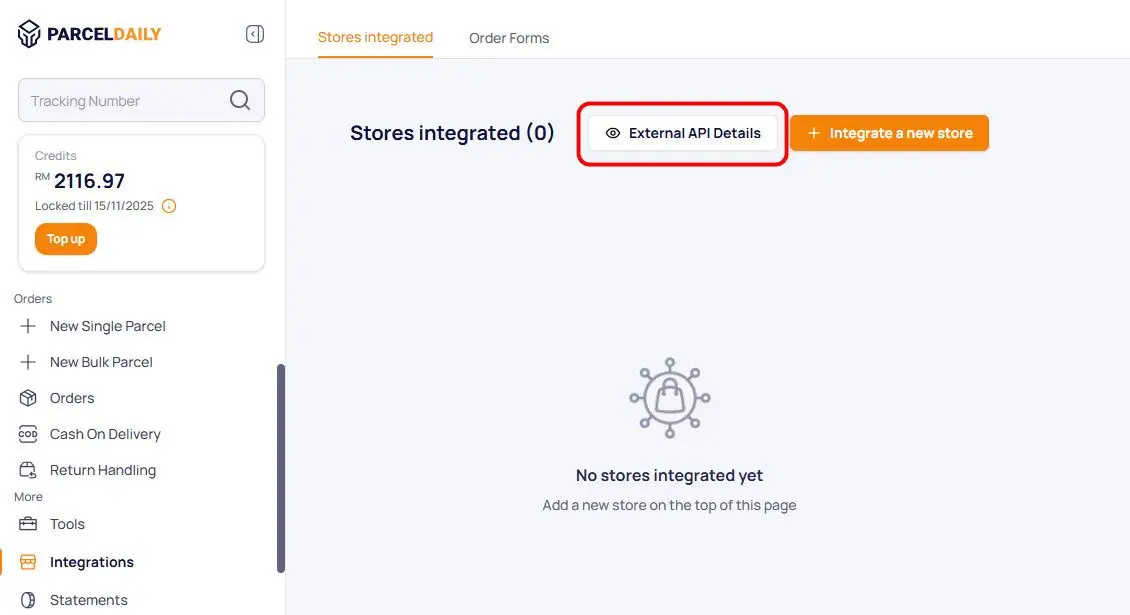
- On ParcelDaily partner portal go to Integrations page. Click “External API Details” button.
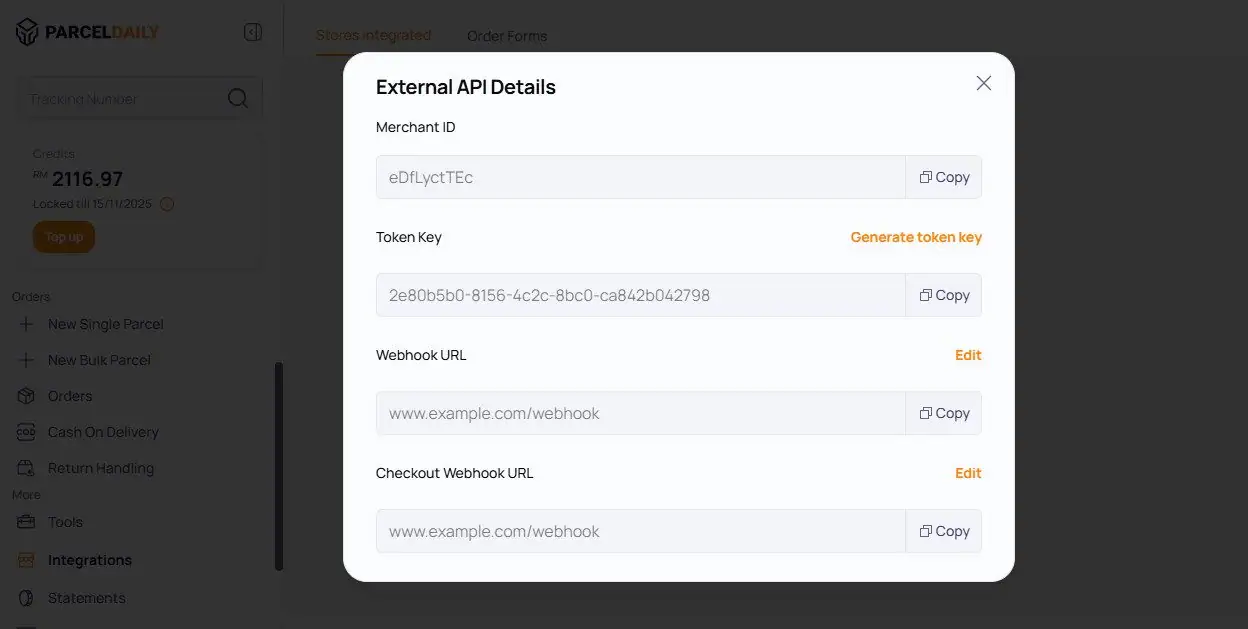
- Copy the generated Merchant ID and Token Key.
- In your Founder HQ account go to Couriers page (Settings > Shipping > Couriers ), then click ParcelDaily tab.
- Update the settings by changing the Status to Enable, setting the Mode to Live, and enter your Merchant ID and Token Key.
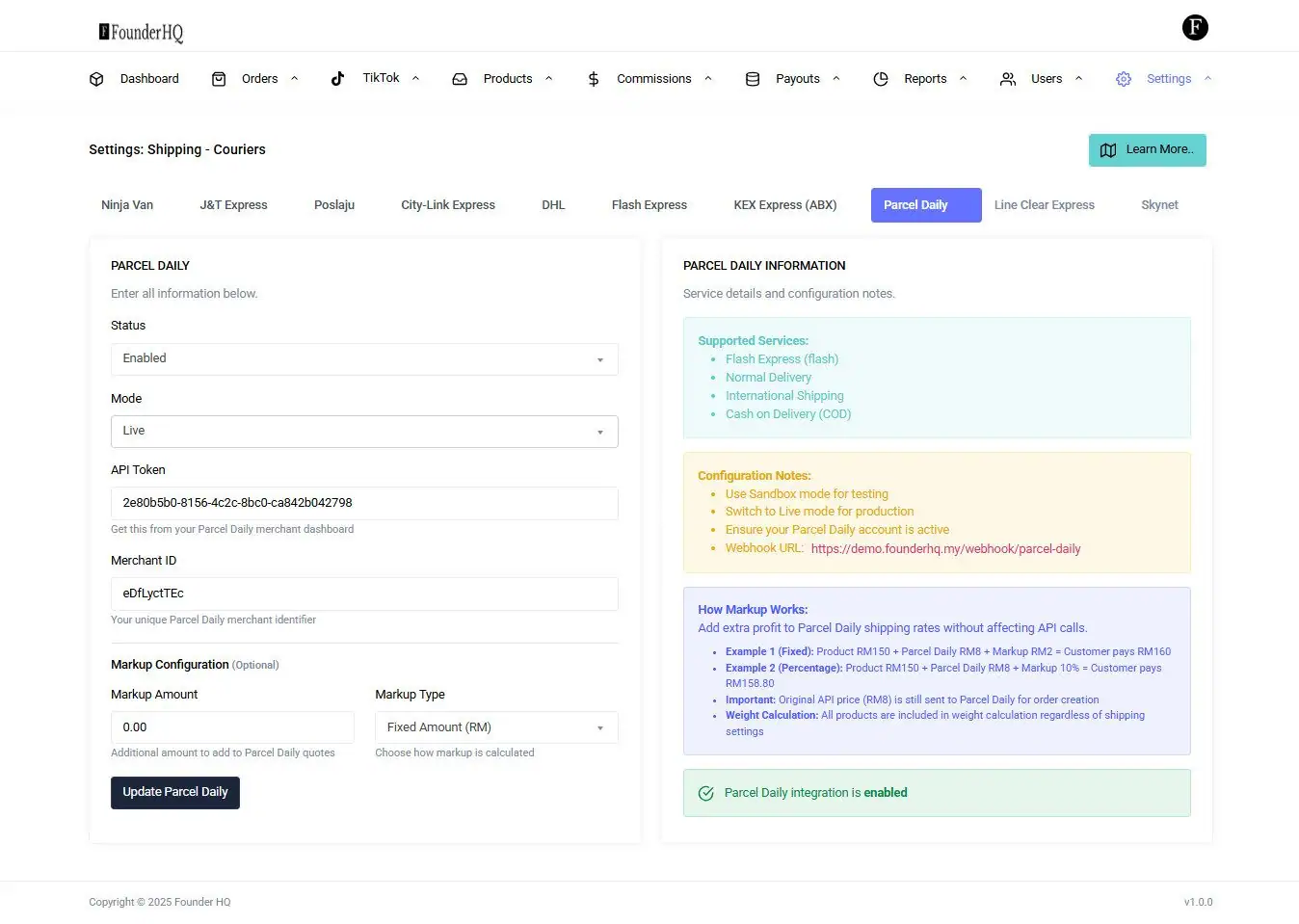
- Click “Update ParcelDaily” button.ParcelDaily integration is now activated.
- Agents or sellers can continue creating orders as usual on Founder HQ.
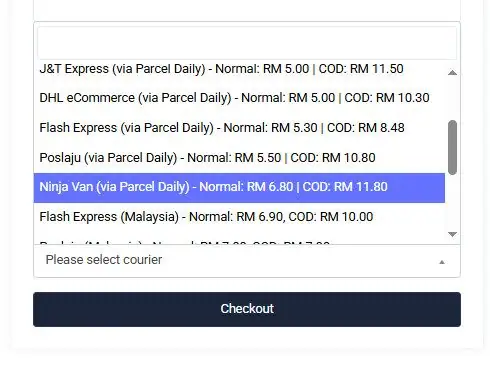
- At the checkout page, they will see a list of available couriers provided by ParcelDaily including the shipping rates.
- At the Approval page, the admin can push the order to ParcelDaily.
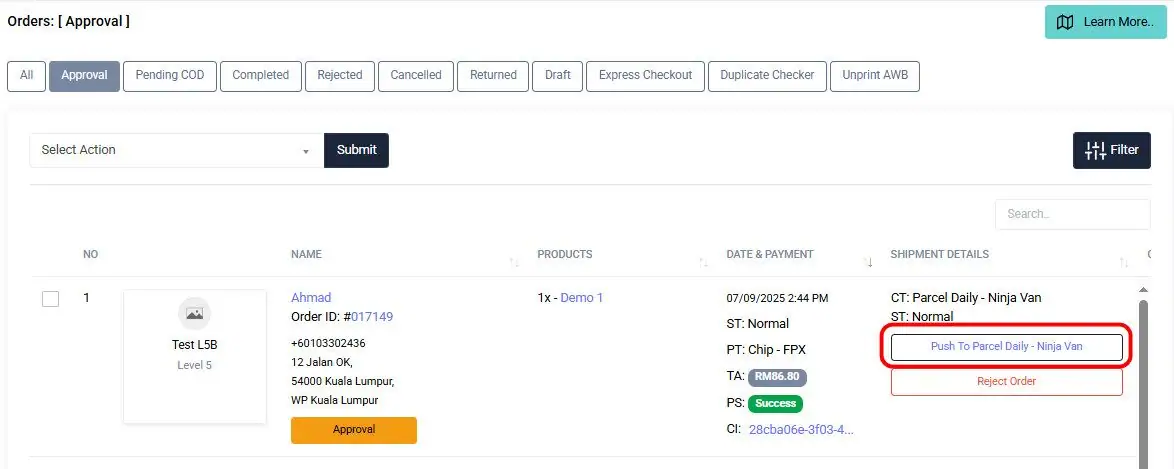
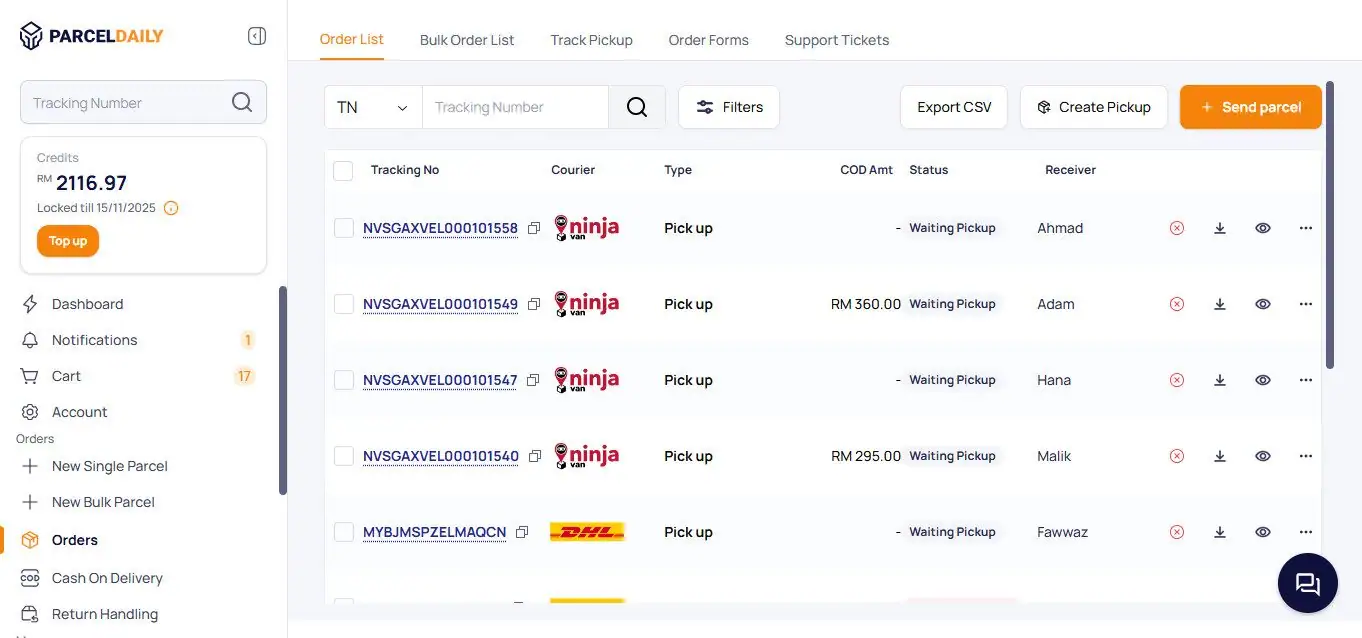
- Once the order successfully pushed, it will visible on the Orders page in your ParcelDaily portal.
Now you can start ordering Courier Delivery Service on ParcelDaily! Please do not hesitate to reach out our technical support for integration guide.
