

Setting Up Integration
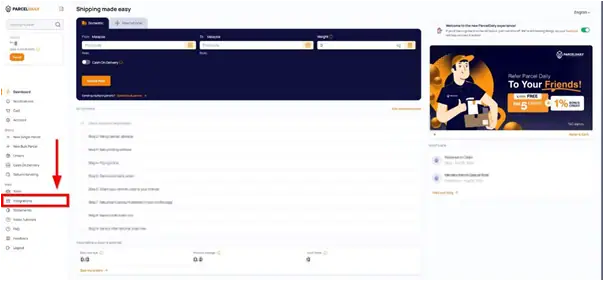
1. Click the Integration Page.
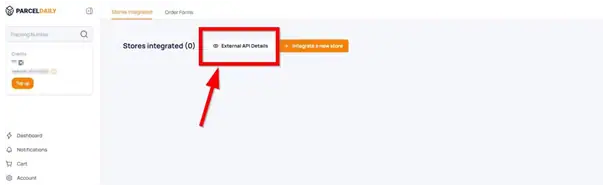
2. Click the External API Details button.
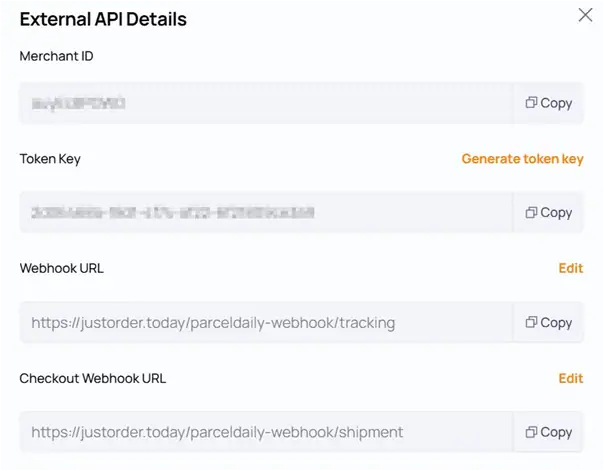
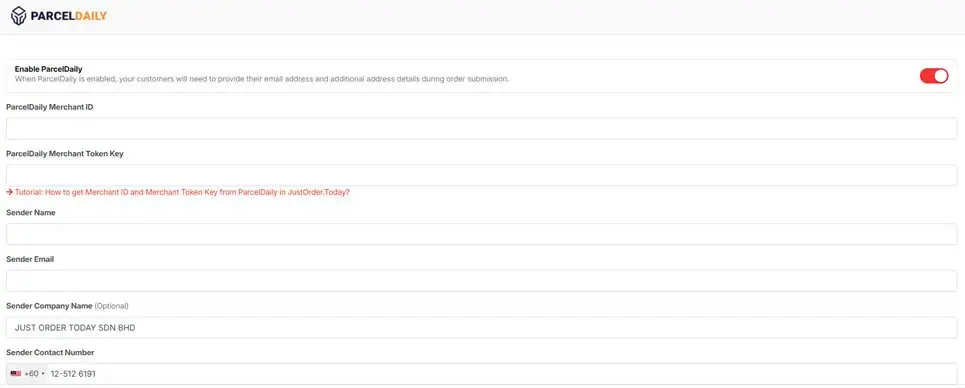
3. Copy the Merchant ID and Token Key and Paste it in the field of ParcelDaily Merchant ID and ParcelDaily Merchant Token Key.
4. Paste https://justorder.today/parceldaily-webhook/tracking into Webhook URL in the ParcelDaily Account.
5. Paste https://justorder.today/parceldaily-webhook/shipment into Checkout Webhook URL in the ParcelDaily Account.
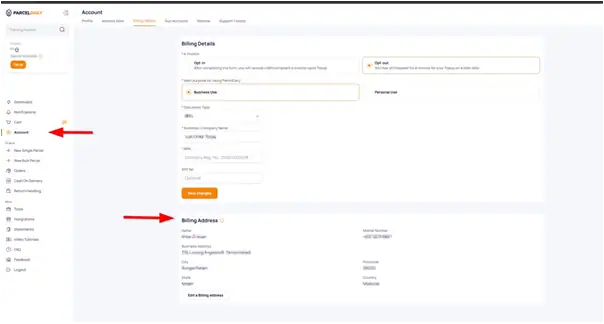
6. Go to Account Tab. Fill in your information for the section Billing Address.
Check Out Order with ParcelDaily
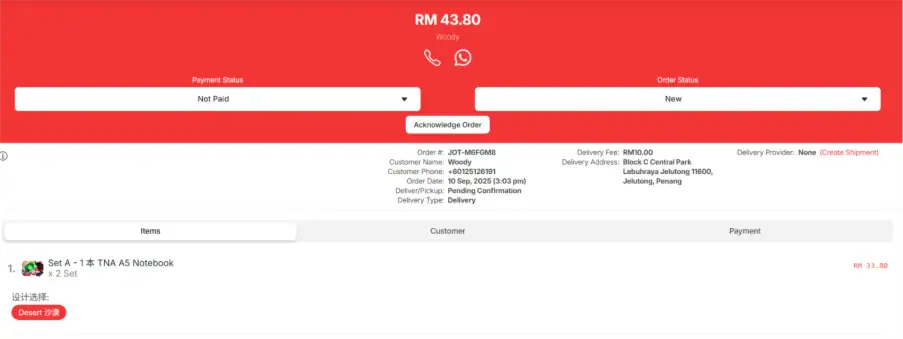
7. In JOT Merchant continue to “Create Shipment”.
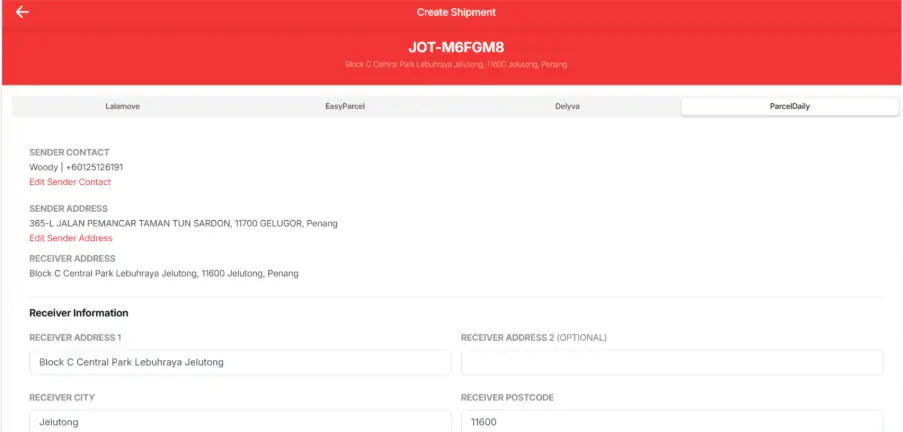
8. Select ParcelDaily.
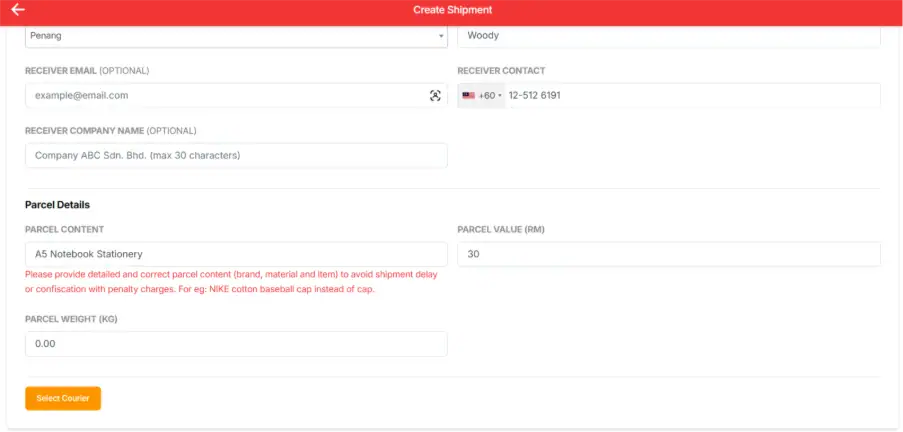
9. Address will be automatically appear, Insert parcel details, parcel value and parcel weight > click select courier.
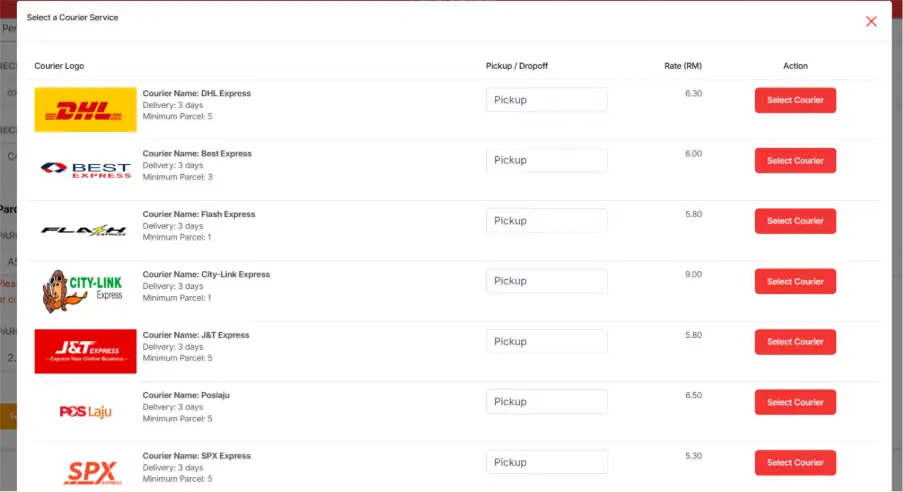
10. List of couriers will available for selection with rate.
Now you can start ordering Courier Delivery Service on ParcelDaily!
Please do not hesitate to reach out our technical support for integration guide.