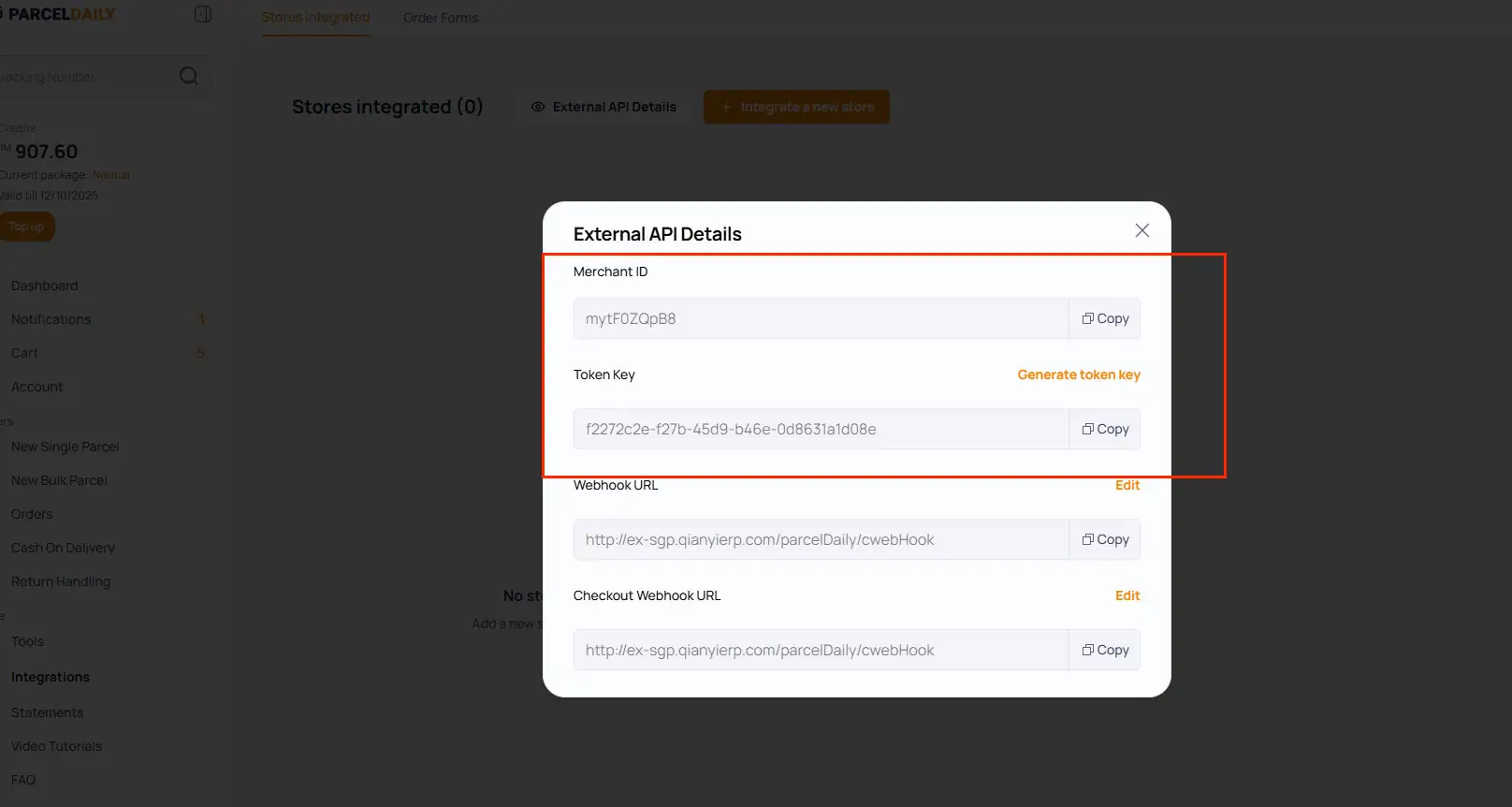

1. Find ParcelDaily in Logistics Settings
Go to:
System → Logistics Settings
Search for ParcelDaily and select it.
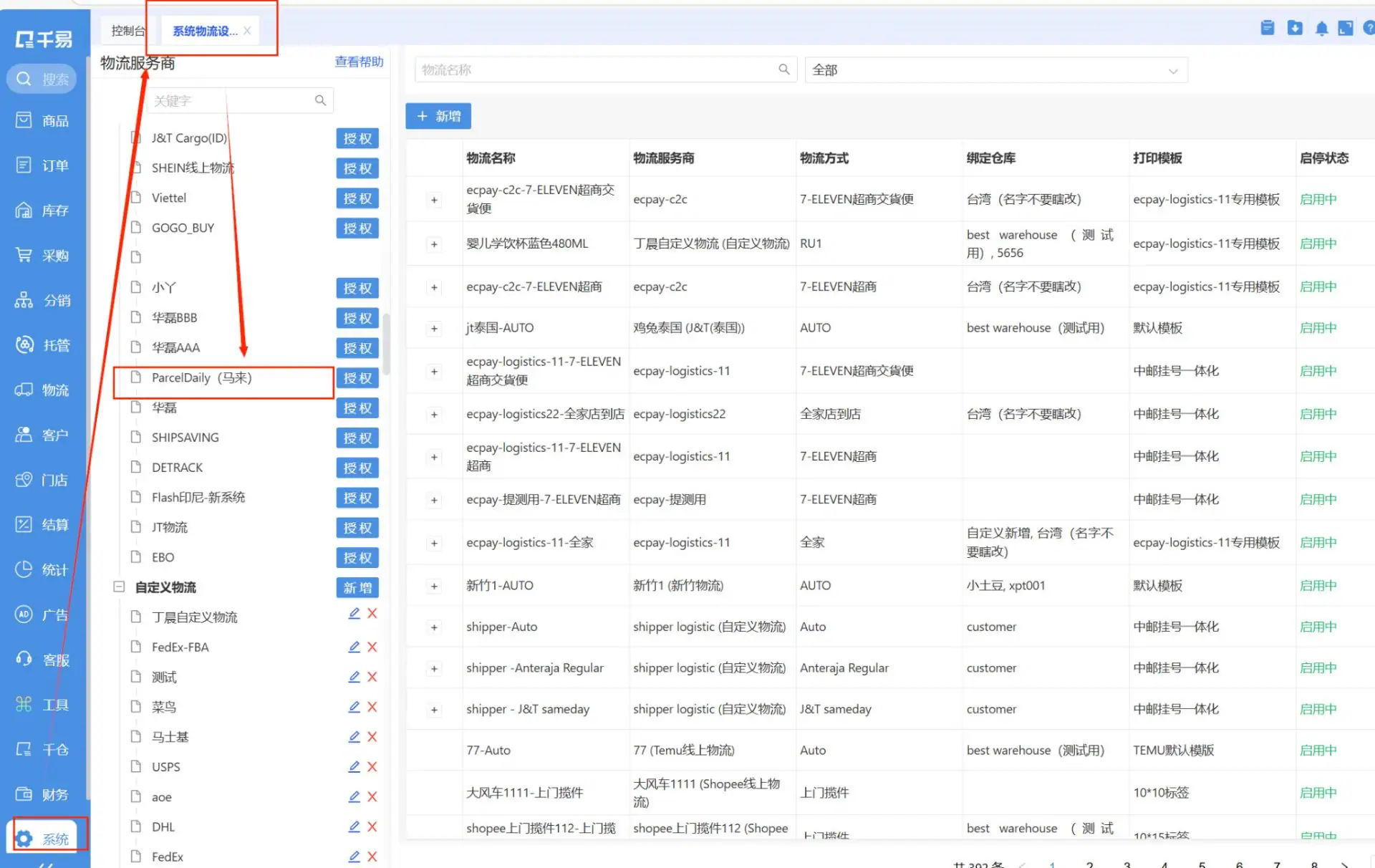
2. Fill in Username & Token Key
Enter the following credentials:
– Username
– Token Key
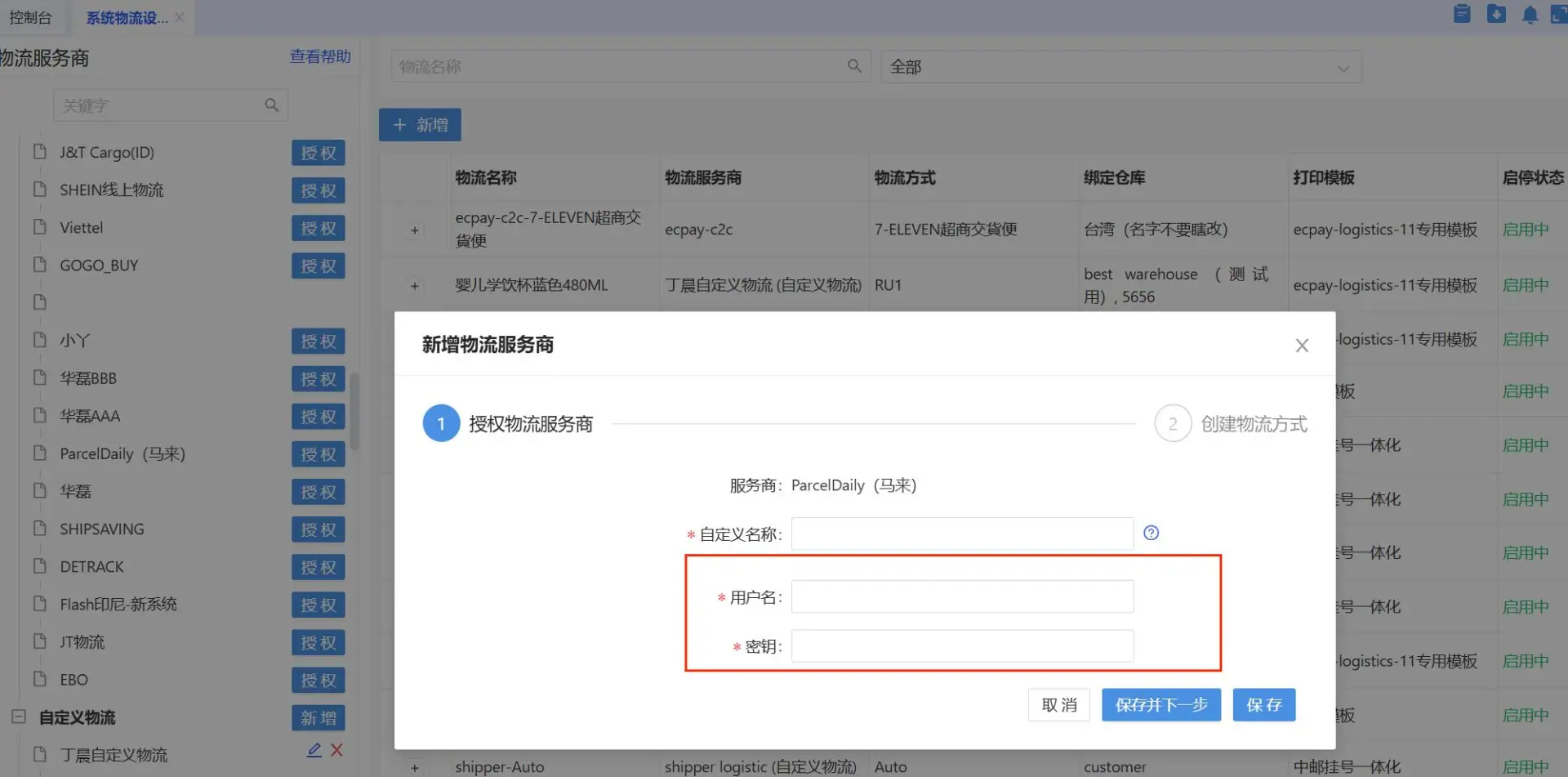
You can obtain these details from your ParcelDaily dashboard.
How to get your API credentials
Go to:
ParcelDaily Dashboard → Integrations → External API Details
Copy the following information:
– Merchant ID
– Token Key
Use these credentials in your system setup.
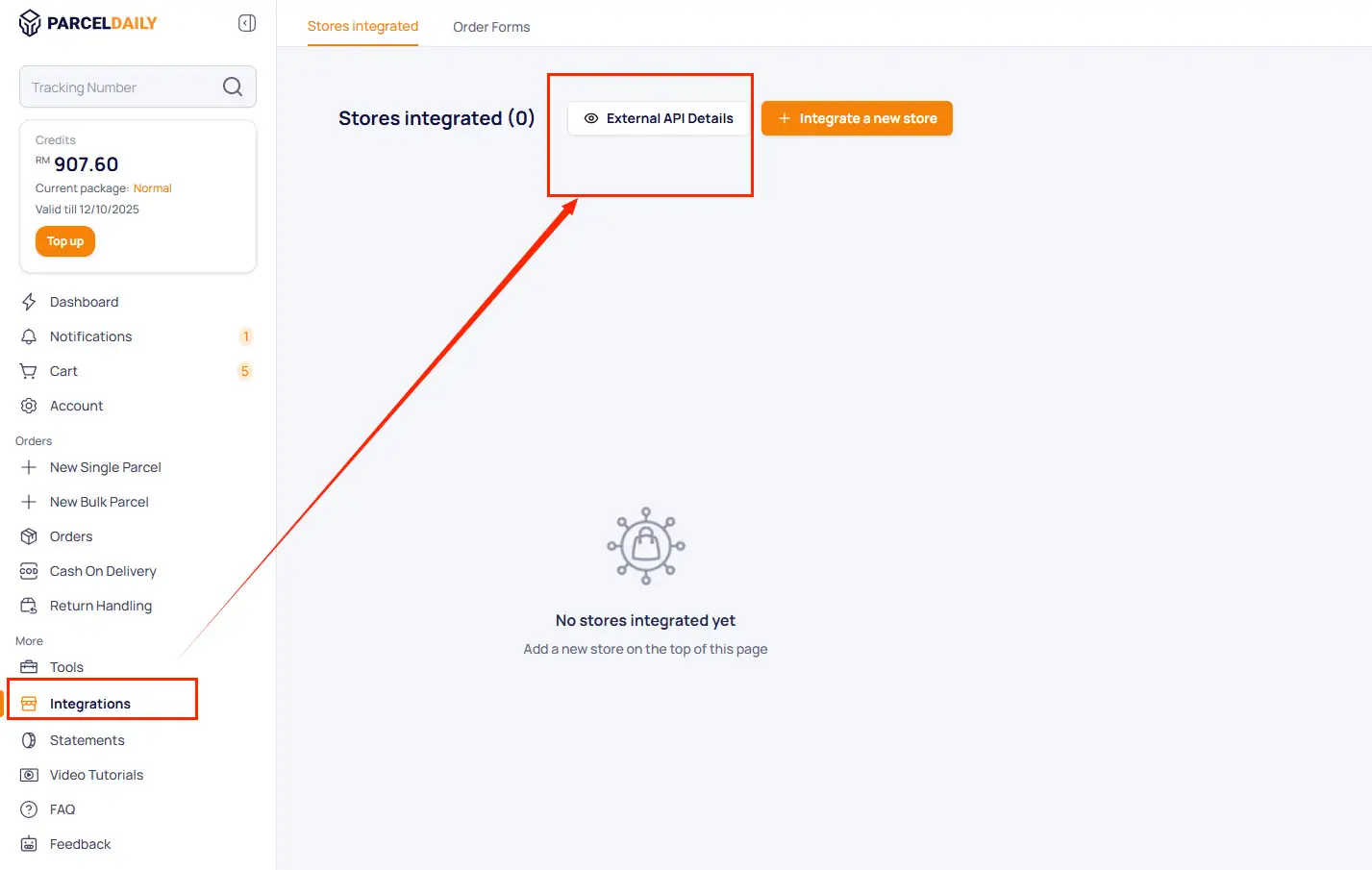
3. Fill in the Webhook URL
In the External API Details section, enter the following URL into both:
- Webhook URL
- Checkout Webhook URL
http://ex-sgp.qianyierp.com/parcelDaily/cwebHook
This URL is used to receive shipment status updates.
Important: This field is required.